GCash and VOSLOT.APP: The Fastest Way to Fund Your Game
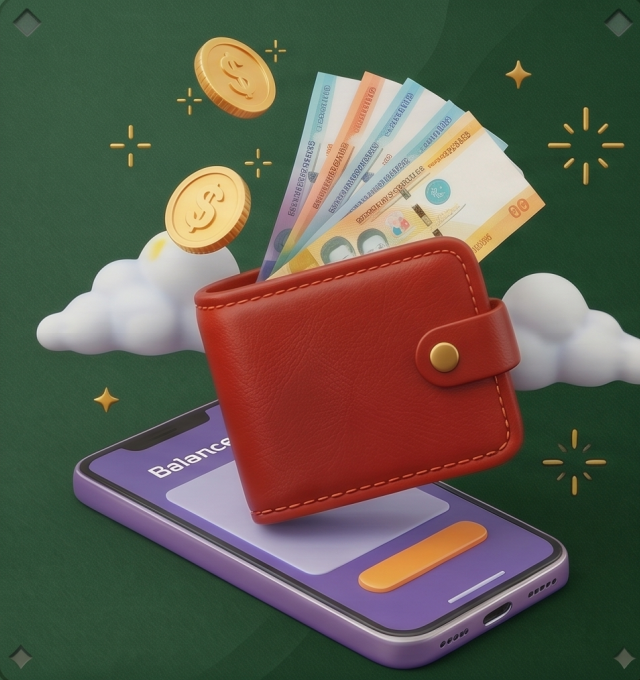
Over 90 million Filipinos have a GCash account. It's the country's most popular digital wallet — used for everything from paying bills to splitting lunches to, increasingly, funding online casino accounts. For Filipino players at VOSLOT.APP, GCash is the fastest, most familiar way to get from "I want to play" to "I'm playing" in the shortest possible time.
This guide covers the complete GCash experience at VOSLOT.APP: deposits, withdrawals, limits, common issues, and tips to make every transaction smooth.
Why GCash Is the Go-To Choice for Filipino Players
Instant deposits: GCash transfers to VOSLOT.APP credit in under 60 seconds in most cases. No waiting for bank transfers to clear overnight.
No bank account needed: Millions of Filipinos are unbanked but GCash-enabled. VOSLOT.APP's GCash support ensures these players can participate fully.
Familiar interface: Most Filipino players check their GCash balance daily. Using it for casino deposits requires no new app, no new password, no new verification process beyond what you already have.
Security: GCash's biometric authentication (face ID, fingerprint) and MPIN protection provide security layers that many bank apps lack.
Transaction record: Every GCash payment creates a record in your GCash history, making it easy to track your gaming spending accurately.
How to Deposit at VOSLOT.APP via GCash
Step-by-Step Process
Step 1: Log in to VOSLOT.APP Open VOSLOT.APP in your mobile browser or tap the home screen shortcut. Log in to your account.
Step 2: Navigate to Deposit Tap the Deposit button (usually at the top right of the home screen or in your account menu). Select GCash from the payment method list.
Step 3: Enter Your Deposit Amount Enter the amount you wish to deposit. Note the minimum deposit (typically ₱100) and ensure your GCash balance covers the amount plus any potential fees.
Step 4: Confirm and Redirect Tap Confirm or Proceed. You'll be redirected to the GCash payment interface automatically — either in-app or via your phone's GCash app.
Step 5: Authenticate in GCash Confirm the payment in your GCash app using your MPIN, fingerprint, or Face ID. Review the recipient name (should match VOSLOT.APP's registered payment name) and amount before confirming.
Step 6: Receive Credit Return to VOSLOT.APP. Your account balance should update within 30–60 seconds. If not received within 5 minutes, contact VOSLOT.APP's 24/7 support with your GCash reference number.
GCash Deposit Limits at VOSLOT.APP
| Tier | Minimum Deposit | Maximum Per Transaction | Daily Maximum |
|---|---|---|---|
| Standard | ₱100 | ₱50,000 | ₱100,000 |
| Verified Player | ₱100 | ₱100,000 | ₱200,000 |
GCash's own account limits also apply:
- Basic GCash account: ₱8,000 wallet limit, ₱30,000 monthly spend limit
- Fully Verified GCash account: ₱100,000 wallet limit, ₱500,000 monthly spend limit
For regular casino players, fully verifying your GCash account (requires submitting government ID) removes the lower limits and unlocks all transaction capabilities.
How to Withdraw to GCash from VOSLOT.APP
Withdrawing winnings back to your GCash is equally straightforward:
Step 1: Navigate to Withdrawal In your VOSLOT.APP account, tap Withdraw or Cash Out.
Step 2: Select GCash Choose GCash as your withdrawal method. Enter your registered GCash mobile number.
Step 3: Enter Withdrawal Amount Minimum withdrawal is typically ₱200. Enter your desired amount (must not exceed your available withdrawable balance).
Step 4: Confirm Review the details and confirm the withdrawal request.
Step 5: Wait for Processing VOSLOT.APP processes GCash withdrawals within 1–4 hours during standard hours (8 AM–11 PM Philippine time). Requests submitted overnight may process in the early morning.
Step 6: Receive in GCash GCash credit appears in your GCash wallet once processed. You'll receive a push notification from GCash confirming the incoming transfer.
Withdrawal Requirements and Conditions
Before withdrawing, ensure:
Wagering requirement cleared: If you claimed a bonus, complete the wagering requirement first. Attempting withdrawal with uncompleted requirements may forfeit the bonus.
Identity verification: VOSLOT.APP may require identity verification (government ID) before processing withdrawals above certain amounts. Complete KYC early to avoid delays.
GCash number matches: The GCash number on your withdrawal must match the number used for deposits (on most platforms). This prevents fraud but means using a consistent GCash account is important.
Minimum balance: Ensure your withdrawal amount meets the minimum (₱200) and is below your available real-money balance.
Common GCash Issues and Solutions
"Transaction Failed" During Deposit
Causes:
- Insufficient GCash balance
- GCash account daily limit reached
- GCash server maintenance (check their social media for outages)
- MPIN entered incorrectly (3 failed attempts locks the account temporarily)
Solution: Check GCash balance, verify account limits, and retry after a few minutes. If persistent, use Maya or bank transfer as backup.
Deposit Made But Balance Not Updated
What to do:
- Wait 5 minutes — most delays resolve within this window
- Check GCash transaction history for a successful debit record
- Copy the GCash reference number
- Contact VOSLOT.APP support via live chat with the reference number
- Deposits confirmed by reference number are typically credited manually within 30 minutes by support
Withdrawal "Pending" for More Than 6 Hours
Normal reasons: High volume processing periods, weekend processing queues, or first-time withdrawal verification.
Contact support with your withdrawal reference if it remains pending beyond 8 hours. Provide the request timestamp, amount, and your GCash mobile number.
"Recipient Not Found" Error
This typically means the GCash number entered doesn't match a registered account. Double-check the number in your GCash profile (it's your registered mobile number, not a separate "GCash username").
Fees and Charges
Deposits: VOSLOT.APP currently charges no fees on GCash deposits. GCash itself doesn't charge for payments to merchants.
Withdrawals: Standard withdrawals carry a processing fee of ₱15–₱50 depending on amount and your player tier. VIP players often receive reduced or waived withdrawal fees.
Maximizing GCash Transactions at VOSLOT.APP
Match deposits to promotions: VOSLOT.APP's welcome bonus and reload bonuses are activated by deposits. Time your GCash deposits to coincide with active promotions for maximum bonus capture.
Split large deposits: If you want to deposit ₱5,000, consider whether a single deposit vs. two separate deposits across different bonus periods changes your promotional eligibility.
Maintain GCash balance buffer: Keep ₱500–₱1,000 in your GCash as a gaming buffer so you're never unable to deposit during a session.
Verify GCash early: If you're playing regularly at VOSLOT.APP, fully verify your GCash account as soon as possible. Higher limits remove friction from your gaming experience.
GCash vs Maya: Which Is Better for VOSLOT.APP?
Both are excellent, and choosing is largely personal preference:
| Feature | GCash | Maya |
|---|---|---|
| User base in PH | 90M+ accounts | 50M+ accounts |
| Deposit speed | 30–60 seconds | 30–60 seconds |
| Minimum deposit | ₱100 | ₱100 |
| App familiarity | Most Filipino players already use it | Preferred by others |
| Additional features | GCash credit card | Maya savings with interest |
If you already use GCash daily, it's the natural choice. Maya offers comparable functionality and may be preferred if your VOSLOT.APP deposits qualify for Maya reward points through their financial ecosystem.
Conclusion
GCash deposits and withdrawals at VOSLOT.APP are designed to be as frictionless as possible — matching the expectation Filipino players have from using GCash in every other part of their financial lives. Fast, familiar, secure, and available 24/7, GCash is the natural payment home for Philippine online casino players.
Set up your GCash-linked account at VOSLOT.APP today, and turn your next deposit into your first VOSLOT win.
Related reading: How to Install the VOSLOT APP — the full guide to getting VOSLOT.APP running on your phone before your first deposit; How to Deposit and Withdraw with Maya — Maya is the best GCash alternative if you prefer a separate e-wallet ecosystem.
GCash Instant Deposit Guide VOSLOT.APP Frequently Asked Questions
How do I install VOSLOT.APP on my phone? Android users download the APK directly from VOSLOT.APP. iPhone users open Safari, visit VOSLOT.APP, then tap Share > Add to Home Screen for a native app experience.
Does VOSLOT.APP support GCash deposits? Yes. GCash deposits credit your VOSLOT.APP account within 30–60 seconds. Maya is also supported with the same near-instant processing speed.
Is VOSLOT.APP safe to use? VOSLOT.APP operates under regulatory licensing with proper player protection tools including deposit limits, loss limits, and self-exclusion options.